
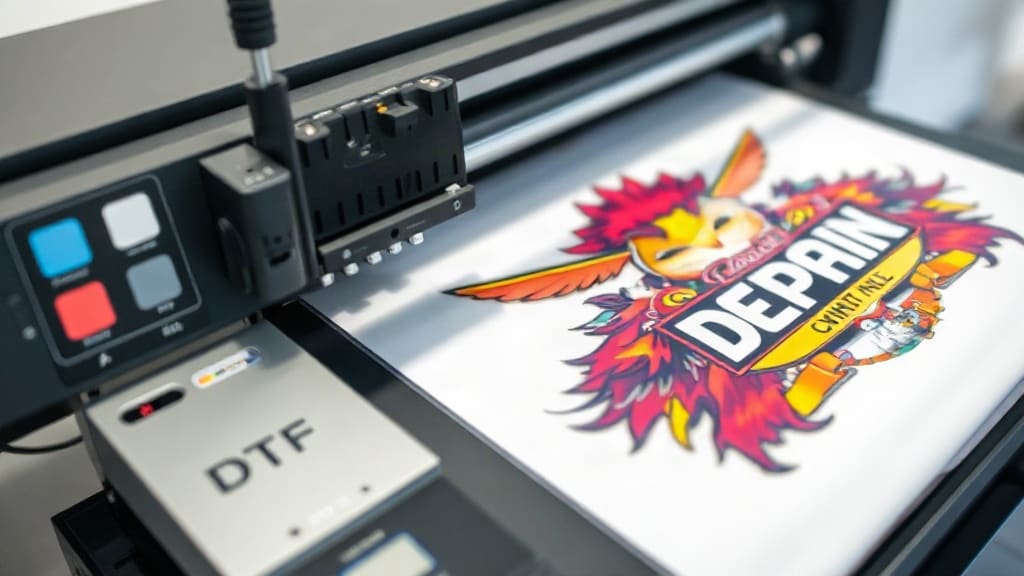
DTF transfers have revolutionized the custom printing industry, offering a versatile and vibrant solution for decorating garments. Unlike traditional methods, this technique allows for high-detail designs on a wide range of fabrics, from cotton to polyester blends. In this guide, I'll walk you through everything you need to know about DTF transfers, from the basics to advanced tips that will help you achieve professional results.
What Are DTF Transfers?
DTF stands for Direct to Film. It's a printing method where a design is printed onto a special PET film, coated with adhesive powder, and then heat-pressed onto fabric. The result is a soft, stretchable, and durable print that can rival screen printing in quality. What sets DTF apart is its ability to print on various colors and materials without pre-treatment, making it a game-changer for custom apparel businesses.
How Does the DTF Process Work?
Understanding the step-by-step process can help you appreciate the technology and troubleshoot issues. Here’s a breakdown:
- Design Preparation: Create or select a design using graphic software. Ensure it's high-resolution (at least 300 DPI) and in CMYK or RGB color mode.
- Printing: Use a DTF printer equipped with white ink and CMYK colors. The design is printed in reverse onto a film. The white ink layer acts as an underbase, ensuring colors pop on dark garments.
- Powder Application: While the ink is still wet, apply hot-melt adhesive powder over the printed area. The powder sticks to the ink and later melts during heat press to bond the design to the fabric.
- Curing: The film is passed through a curing oven or heat source to melt the powder slightly, creating a tacky surface. This step is crucial for proper adhesion.
- Heat Press Transfer: Place the film onto the garment with the printed side facing up (or down? Actually, the film is placed printed side down on the fabric). Apply heat and pressure for a specific time, typically 15-20 seconds at 320°F (160°C).
- Peeling: After pressing, let it cool for a few seconds, then peel off the film. The design remains on the fabric with a soft finish.
Benefits of DTF Transfers
Why choose DTF over other methods like screen printing or heat transfer vinyl? Here are some compelling reasons:
- Versatility: Works on 100% cotton, polyester, blends, and even leather or denim. No need to pre-treat fabrics.
- Color Vibrancy: The white underbase ensures bright colors even on dark shirts. DTF prints are known for their sharpness and detail.
- Soft Hand Feel: Unlike thick plastisol prints, DTF transfers feel soft and flexible, making them comfortable to wear.
- Durability: When properly cured, DTF prints can withstand multiple washes without cracking or fading. They are stretchable, making them ideal for sportswear.
- Cost-Effective: No screen setup costs, making it affordable for small batches and one-off designs. Perfect for print-on-demand services.
- Ease of Use: The process is relatively simple, allowing even beginners to produce professional results with minimal equipment.
DTF Transfers vs. Other Printing Methods
To understand where DTF stands, let's compare it with common alternatives.
DTF vs. Sublimation
Sublimation works only on polyester and light-colored fabrics. It involves transferring dye into the fabric using heat. DTF, however, can print on dark cotton shirts, offering greater flexibility. Sublimation prints are permanent and don't have a film, but they lack the versatility of DTF.
DTF vs. Screen Printing
Screen printing is excellent for bulk orders with vibrant colors. However, it requires significant setup, including creating screens for each color. DTF is quicker to set up and more cost-effective for small runs. For large quantities, screen printing may still be more economical.
DTF vs. Heat Transfer Vinyl (HTV)
HTV involves cutting vinyl into shapes and heat pressing them. It's limited to solid colors and simple designs. DTF can print full-color, detailed images with gradients and shadows, making it superior for complex artwork.
Choosing the Right DTF Printer and Equipment
Investing in quality equipment is key to achieving excellent results. Here are factors to consider:
- Printer Type: Look for a printer specifically designed for DTF, such as the Epson SureColor F170 or the DTF Pro. These have built-in white ink circulation systems to prevent clogging.
- Ink Quality: Use high-quality pigment inks that are compatible with your printer. The white ink must be opaque and have good adhesion.
- Film: Choose PET films that are compatible with your printer. Some films have a coating that enhances ink adhesion.
- Adhesive Powder: The powder should melt at the right temperature for your heat press. Finer powders give a softer hand, while coarser ones offer stronger adhesion.
- Heat Press: A clamshell or swing-away press that reaches at least 400°F is necessary. Ensure even pressure and temperature control.
- Curing Oven or Tunnel Dryer: For consistent powder melting, a curing unit is recommended. Some setups use a heat gun, but an oven is more reliable.
- Prepare Your Workspace: Ensure you have adequate ventilation and a clean, dust-free environment.
- Print Your Design: Load the film into the printer correctly (usually with the shiny side up). Print your design with the correct settings: high quality, and ensure white ink is used as underbase.
- Apply Adhesive Powder: While the ink is still wet, shake the powder over the print. Make sure it covers all inked areas evenly. Tap off the excess.
- Melt the Powder: Use a heat gun or curing oven to heat the powder until it melts slightly. You'll see it become transparent. Be careful not to overheat, as it may cause the film to curl.
- Cut Around the Design: Trim the film, leaving a small border to prevent adhesive from touching the garment area.
- Heat Press: Preheat your press to the recommended temperature (usually 320°F). Place the garment on the press, then position the film with the printed side down. Apply firm pressure for 15-20 seconds.
- Peel Hot or Cold? Some films require hot peeling, others cold. Check your film's instructions. For most DTF films, cold peel gives better results.
- Calibrate Your Press: Use a heat tape to ensure even pressure. Inconsistent pressure can lead to uneven adhesion.
- Preheat Your Garment: Press the garment for a few seconds to remove moisture and wrinkles, improving adhesion.
- Test on Scrap Fabric: Always run a test print to adjust temperature, time, and pressure before doing the final piece.
- Use Quality Materials: Cheap films and powders can result in poor durability. Invest in reputable brands.
- Handle Film Carefully: Avoid touching the printed area with bare hands; oils can affect adhesion.
- Post-Press Care: After peeling, do a second press with a Teflon sheet for 5-10 seconds to ensure the adhesive is fully cured.
- Washing Instructions: Advise customers to wash garments inside out in cold water and avoid dryers for the first few washes.
- Print Lifting or Cracking: This often results from low temperature or insufficient pressure. Increase temperature slightly or press longer.
- Faded Colors: Ensure you're using enough white ink underbase. Also, check if your film is compatible with your ink.
- Adhesive Powder Not Sticking: The ink might be too dry. Apply powder immediately after printing.
- Film Curling During Curing: Overheating or uneven heat. Use a curing oven with controlled temperature.
- Ghosting or Blurring: This can happen if the film shifts during pressing. Use heat-resistant tape to secure it.
- Custom t-shirts and apparel for businesses or events
- Sportswear and activewear with stretchable logos
- Personalized gifts like tote bags, caps, and jackets
- Small business merchandise and print-on-demand
- Recreating vintage designs with high detail
Step-by-Step Guide to Making Your First DTF Transfer
If you're ready to try DTF printing, follow this practical guide:
Tips for Achieving Vibrant and Long-Lasting DTF Prints
To get the best out of your DTF transfers, keep these pro tips in mind:
Common Mistakes and How to Avoid Them
Even experienced printers encounter issues. Here are frequent pitfalls and solutions:
Applications of DTF Transfers
DTF transfers are incredibly versatile, suitable for:
Frequently Asked Questions
How long do DTF prints last?
With proper care, DTF prints can last for many washes. The key is using quality materials and following correct pressing guidelines. Typically, they can withstand 50+ washes without significant fading or cracking.
Can DTF transfers be used on any fabric?
Yes, DTF works on a wide range of fabrics including cotton, polyester, blends, nylon, and even leather. However, for very stretchy materials like spandex, you may need special adhesive powders designed for stretch.
Do I need a special printer for DTF?
Yes, it's best to use a printer that supports white ink and has a bulk ink system. Standard desktop printers cannot handle the thick white pigment inks. Investing in a dedicated DTF printer ensures reliability and quality.
What is the cost of starting a DTF business?
The initial investment includes a DTF printer (around $2,000-$5,000), a heat press ($300-$1,000), films, inks, powders, and a curing unit. Total startup costs can range from $3,000 to $10,000, depending on the equipment quality.
Can I use DTF transfers for dark-colored garments?
Absolutely. The white ink underbase ensures that colors remain vibrant on dark fabrics, making it one of the best methods for printing on black or navy shirts.
Conclusion
DTF transfers are a powerful tool in the custom printing world, offering flexibility, quality, and ease of use. Whether you're a seasoned printer or just starting, mastering this technique can elevate your products and satisfy your customers. With the right equipment, materials, and a bit of practice, you'll produce stunning prints that stand out. If you're looking for high-quality DTF services or materials, check out dtfdazzle.com for premium options. Happy printing!