
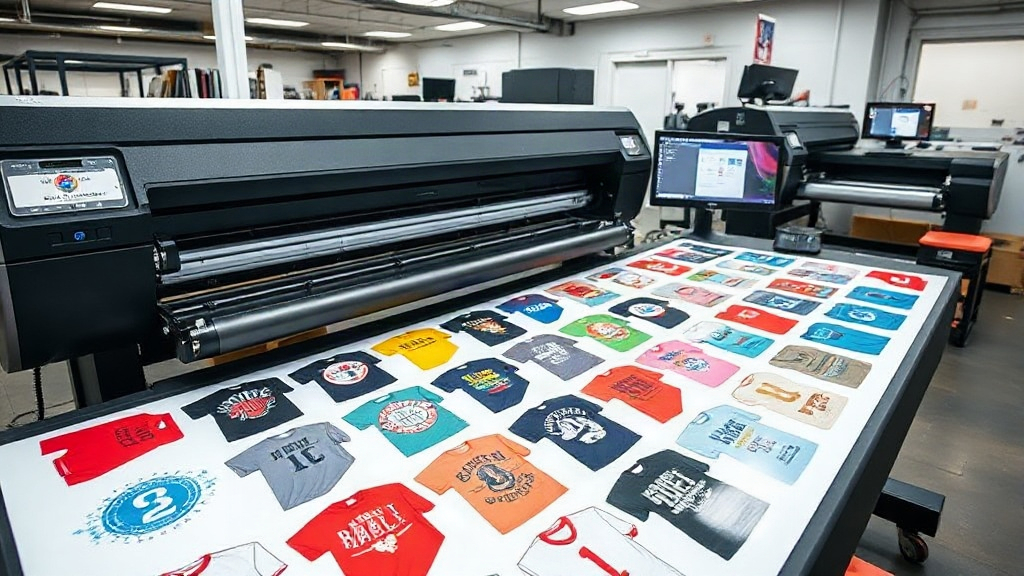
If you're in the custom apparel business, you've likely heard about DTF printing. It's revolutionizing the way we transfer designs onto fabrics, offering vibrant colors and durability. But to truly harness its power, you need an efficient workflow. That's where a DTF gangsheet builder comes in. This tool can transform your production line, saving you time and money while boosting quality. In this article, we'll dive deep into what a gangsheet builder is, why it's essential, and how to use it like a pro.
What is a DTF Gangsheet Builder?
A DTF gangsheet builder is software that helps you arrange multiple designs onto a single sheet for printing. Instead of printing each design individually, you nest them together to maximize the use of transfer film. This not only reduces waste but also speeds up the printing process. Think of it as a digital puzzle solver for your DTF prints.
Why You Need One
Without a gangsheet builder, you're likely wasting film and time. Manual arrangement is tedious and error-prone. A builder automates the layout, ensuring you fit as many designs as possible on each sheet. This leads to significant cost savings, especially if you're producing high volumes. Plus, it minimizes the risk of human error, so you can focus on creativity rather than logistics.
Key Features to Look for in a DTF Gangsheet Builder
Not all gangsheet builders are created equal. Here are the must-have features:
- Auto-nesting: Automatically arranges designs for optimal film usage.
- Drag-and-drop interface: Easy to use, even for beginners.
- Size customization: Set your sheet dimensions to match your printer.
- Design library: Store and reuse your designs.
- Export options: Save as PDF or directly to your printer's software.
When evaluating a builder, consider your production volume and the complexity of your designs. Some tools are better for simple layouts, while others handle intricate patterns with ease.
How to Use a DTF Gangsheet Builder: Step-by-Step
Using a gangsheet builder is straightforward once you get the hang of it. Follow these steps to create your first gangsheet:
- Upload your designs: Import your artwork into the builder. Most tools support PNG, JPG, and PDF files.
- Set your sheet size: Enter the dimensions of your DTF film. Common sizes are 13x19 inches or 22x24 inches.
- Arrange your designs: Use the auto-nesting feature or manually drag and drop designs to fill the sheet.
- Adjust spacing: Ensure there's enough gap between designs for clean cutting. A 0.1-inch margin is typical.
- Review and export: Double-check the layout, then export the file for printing.
Pro tip: Always print a test sheet to verify colors and alignment before running a full batch.
Benefits of Using a DTF Gangsheet Builder
Investing in a gangsheet builder pays off in multiple ways:
- Cost reduction: Less film waste means lower material costs.
- Time savings: Automated layout cuts prep time by up to 70%.
- Increased output: Print more designs in less time.
- Consistency: Uniform layouts reduce errors and reprints.
- Scalability: Easily handle large orders without hiring extra staff.
For a small shop, these benefits can be the difference between breaking even and turning a profit.
Common Mistakes to Avoid
Even with a builder, some pitfalls can hinder your results. Watch out for these:
- Overcrowding: Packing designs too tightly can cause cutting errors. Leave adequate space.
- Ignoring grain direction: For woven fabrics, align designs with the grain for better drape.
- Forgetting bleed: Add a small bleed around each design to prevent white edges.
- Not updating software: New versions often include improved nesting algorithms.
By avoiding these mistakes, you'll achieve professional-looking transfers consistently.
Integrating a Gangsheet Builder into Your Workflow
To maximize efficiency, integrate your builder with other tools. For example, connect it to your design software so you can edit and update designs without leaving the platform. Also, sync it with your printer's RIP software to streamline printing. Automation is key: the fewer manual steps, the better.
Choosing the Right DTF Gangsheet Builder for Your Business
With many options available, how do you choose? Consider these factors:
- Budget: Free tools exist, but paid versions offer more features.
- Ease of use: Look for intuitive interfaces and good customer support.
- Compatibility: Ensure it works with your printer and design software.
- Scalability: Can it handle your growth? Check limits on sheet size and design count.
Read reviews and, if possible, try a demo before committing.
Frequently Asked Questions
What is a DTF gangsheet builder and why do I need one?
A DTF gangsheet builder is software that arranges multiple designs on a single sheet for efficient printing. You need it to reduce film waste, save time, and increase production capacity.
Can I use a gangsheet builder for other printing methods?
While designed for DTF, some builders can be adapted for DTG or screen printing, but they are optimized for DTF workflows.
How much does a DTF gangsheet builder cost?
Prices range from free basic versions to subscription-based advanced tools costing $20-$100 per month. Consider your volume and feature needs.
Is it hard to learn how to use a gangsheet builder?
Most builders are user-friendly with drag-and-drop interfaces. With a few tutorials, you'll be proficient in no time.
What file formats do gangsheet builders support?
Common formats include PNG, JPG, PDF, and sometimes SVG. Check the software specifications for details.
Conclusion
A DTF gangsheet builder is more than a convenience; it's a necessity for any serious DTF printer. By automating layout, you save money, time, and headaches. Whether you're a small startup or a large operation, the right builder can elevate your business. Explore your options, test a few, and watch your efficiency soar.